Battle Mode: how to stop losing in team preview
By ChampTeams Editorial
VGC is two games: the actual battle, and the 90 seconds of team preview before it. The second game is where new players lose. Battle Mode is the tool we built to close that gap.
The 90-second skill gap
Veterans have thousands of sets memorized. When the opponent's team flashes on screen, they instantly know which 4 to bring, what hits what, who can switch in on what, and what the opponent's win condition is. New players see six sprites and pick the ones they like.
Battle Mode hands a beginner the same read in 30 seconds. Open it on a second screen during preview, type in their team (it autocompletes from common tournament sets after the first one or two species), and you get a full matchup readout.
What it shows you
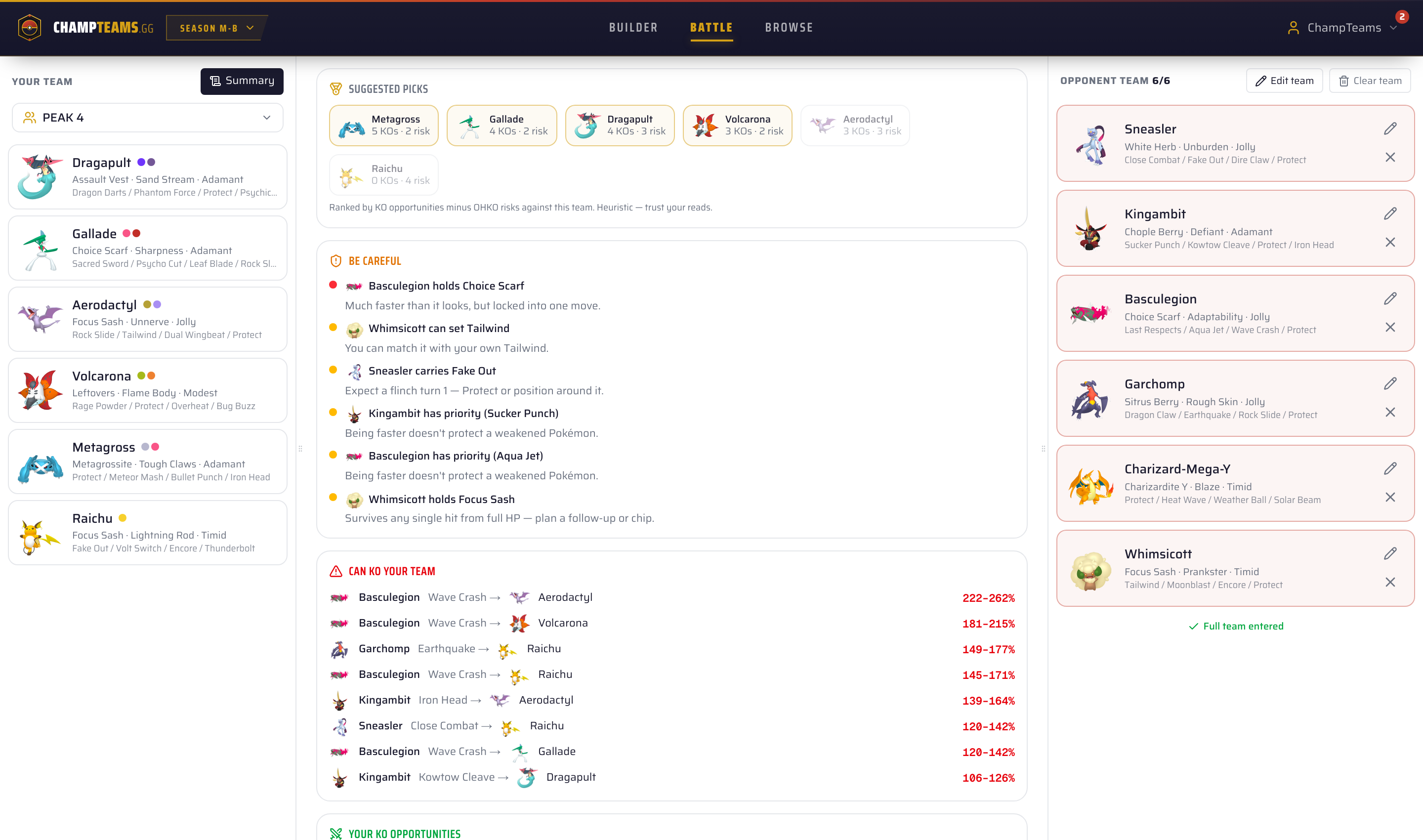
1. Suggested 4 (with reasoning)
Not just a black-box recommendation. Each of your 6 is scored on KO opportunities minus OHKO risks against their team. The pick is shown with the math, so you learn why a pick is safe or greedy.
2. "Be careful" warnings
Reads the opponent's sets and flags the threats new players miss:
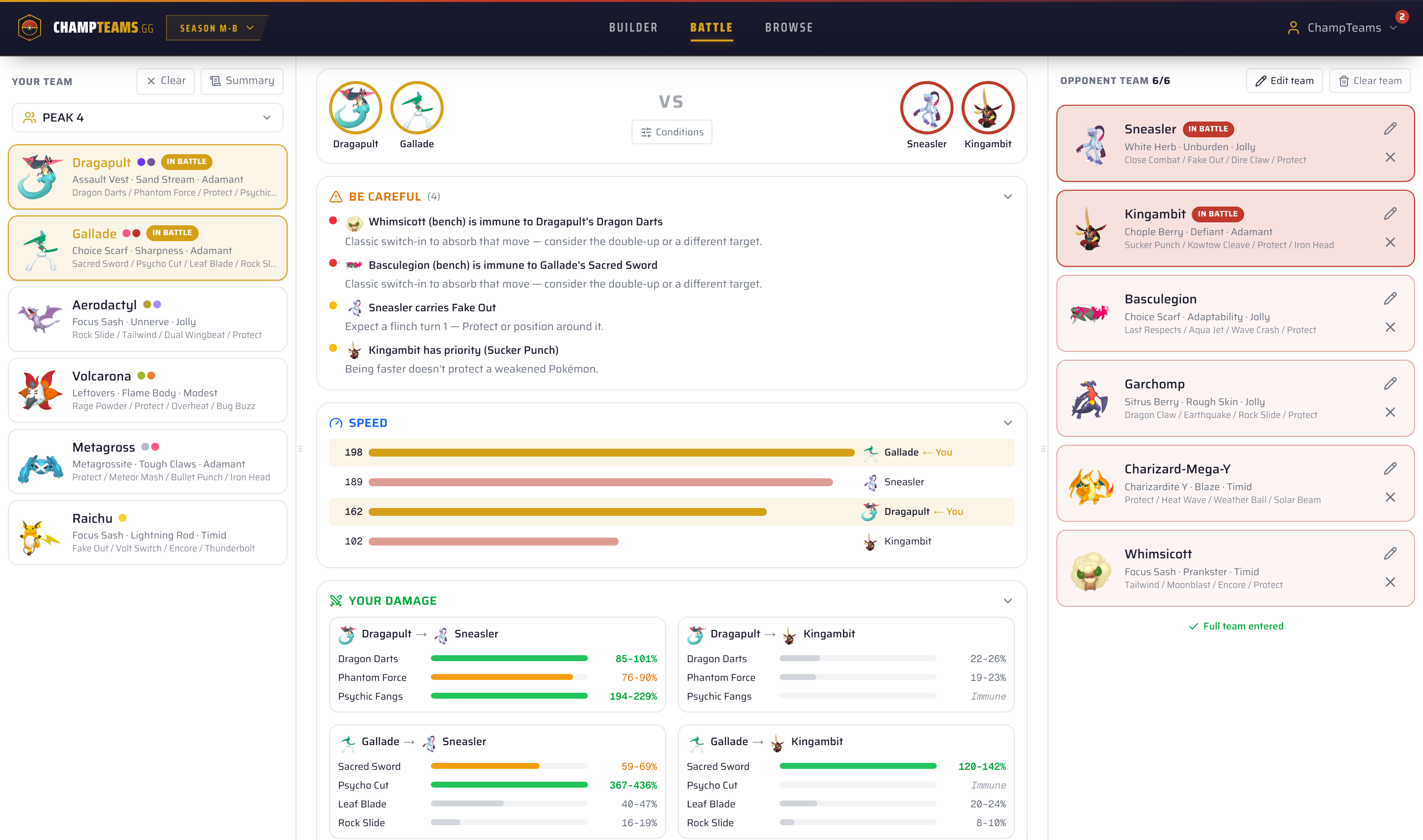
- "Sneasler carries Fake Out — expect a flinch turn 1"
- "Kingambit has priority (Sucker Punch) — being faster doesn't protect a weakened Pokémon"
- "Charizard Y can set sun — Chlorophyll Venusaur becomes faster than your Gallade"
- "They have Pelipper but no Tailwind answer on your side"
3. Switch-in detection — the killer feature
When you click Sacred Sword into a Kingambit, Battle Mode checks every Pokémon on their bench. If their Whimsicott is sitting back there, it warns you: "Whimsicott (bench) is immune to Dragapult's Dragon Darts." That read takes hundreds of games to internalise. Now it's just shown to you.
4. Damage both ways
Every move from your team into their team, AND every move from their team into yours. Colour-coded by danger: greens for safe KOs, oranges for nervous rolls, reds for "you die if they click this." The same @smogon/calc engine the pros use.
5. Live conditions
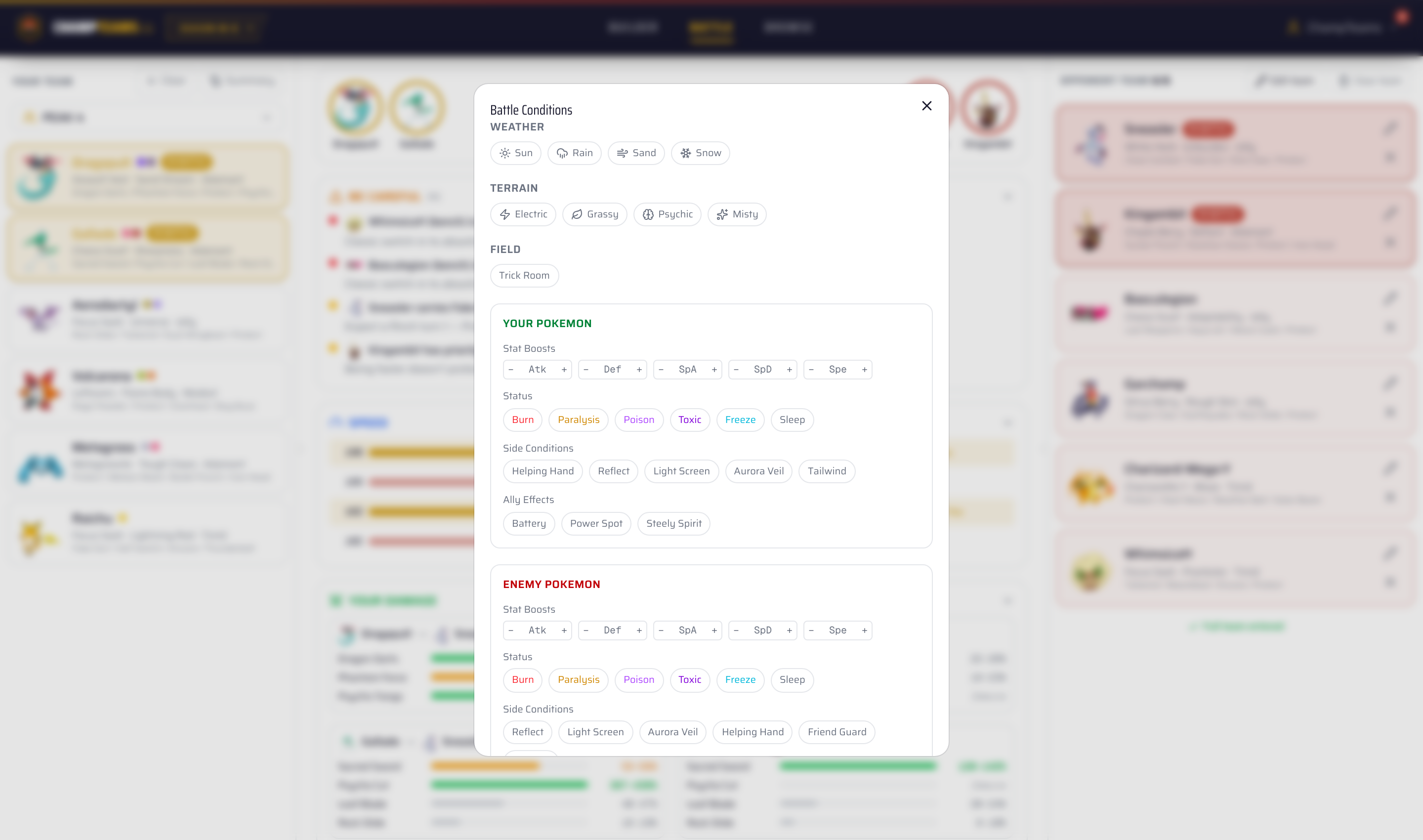
Toggle weather, terrain, Trick Room, Tailwind, Helping Hand, Reflect, screens — everything recalculates instantly. As the actual game progresses, update the conditions and the math follows.
Works on your phone
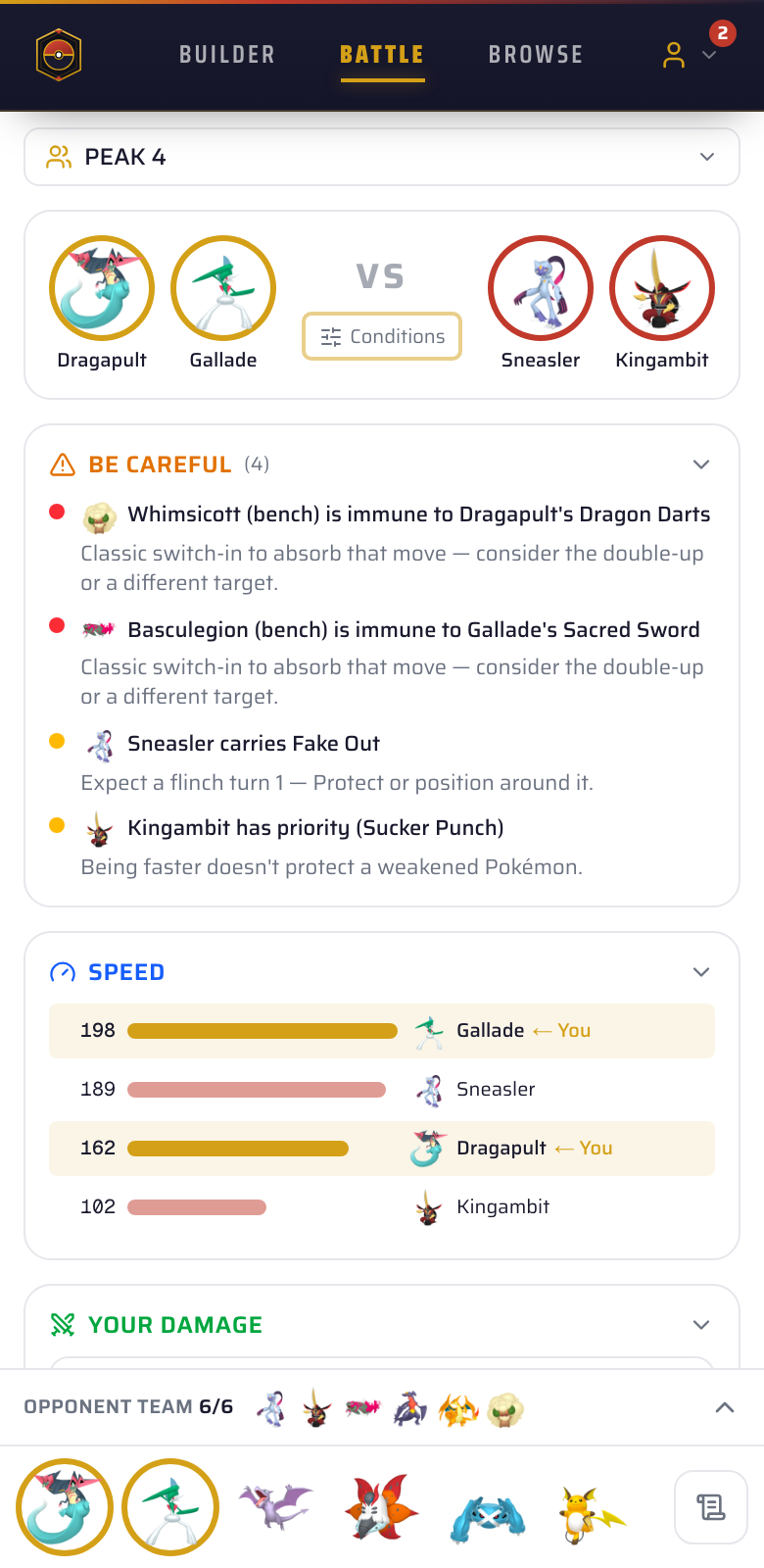
Battle Mode is the same on phone as on desktop — opponent entry, focused field, switch-in warnings, all there. Most of us will be running it on a second screen during a Pokémon Champions match anyway.
How to use it during ladder
- Open champteams.gg/battle on your phone or a second tab before queueing.
- Save your current team in the builder. It auto-fills as "your team".
- When the opponent's 6 appear in preview, tap them one by one. After 2 picks the suggestions get scary good.
- Read the Be Careful list first — it tells you what loses you the game if you don't plan for it.
- Pick your 4 based on the Suggested Picks panel.
- During the battle, mark your active 2 and their active 2 to switch the view into "field mode" — that's where switch-in detection lives.
Why we built this
A few people on r/PokemonChampions asked for it after we shipped the team builder. New VGC players told us the same thing in different words: "I lose because I don't know the sets, not because I misplay." Battle Mode is for them.
It's not a cheat code, and it doesn't make decisions for you. It just makes visible the read that experienced players already make automatically.